Safe Internet & Digital Awareness: A Practical Guide to Protecting Yourself Online
The internet connects us to opportunities, knowledge, and people across the world. But along with convenience comes risk. From phishing emails and identity theft to online scams and misinformation, digital threats are constantly evolving. That’s why safe internet practices and digital awareness are no longer optional—they are essential life skills.
Whether you’re browsing social media, shopping online, or managing your bank account, understanding how to stay secure online protects your privacy, finances, and personal data. This guide will walk you through clear, actionable steps to build strong digital awareness and practice safe internet habits every day.
Let’s make your online experience smarter, safer, and stress-free.
What Is Digital Awareness and Why It Matters
Digital awareness means understanding how online systems work, recognizing potential risks, and making informed decisions while using technology. It includes:
-
Recognizing online scams
-
Protecting personal information
-
Identifying fake news
-
Understanding privacy settings
-
Practicing safe communication
Without digital awareness, even simple online activities can expose you to serious risks like fraud, malware infections, or data breaches.
The goal isn’t fear—it’s informed confidence.
Recognizing Common Online Threats
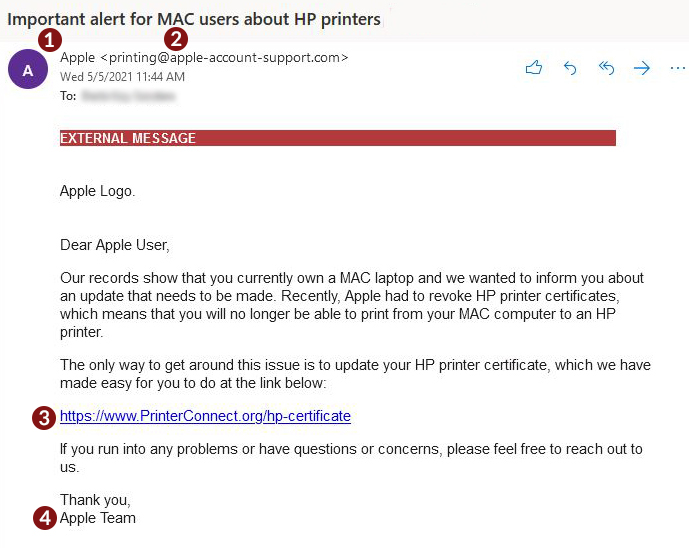
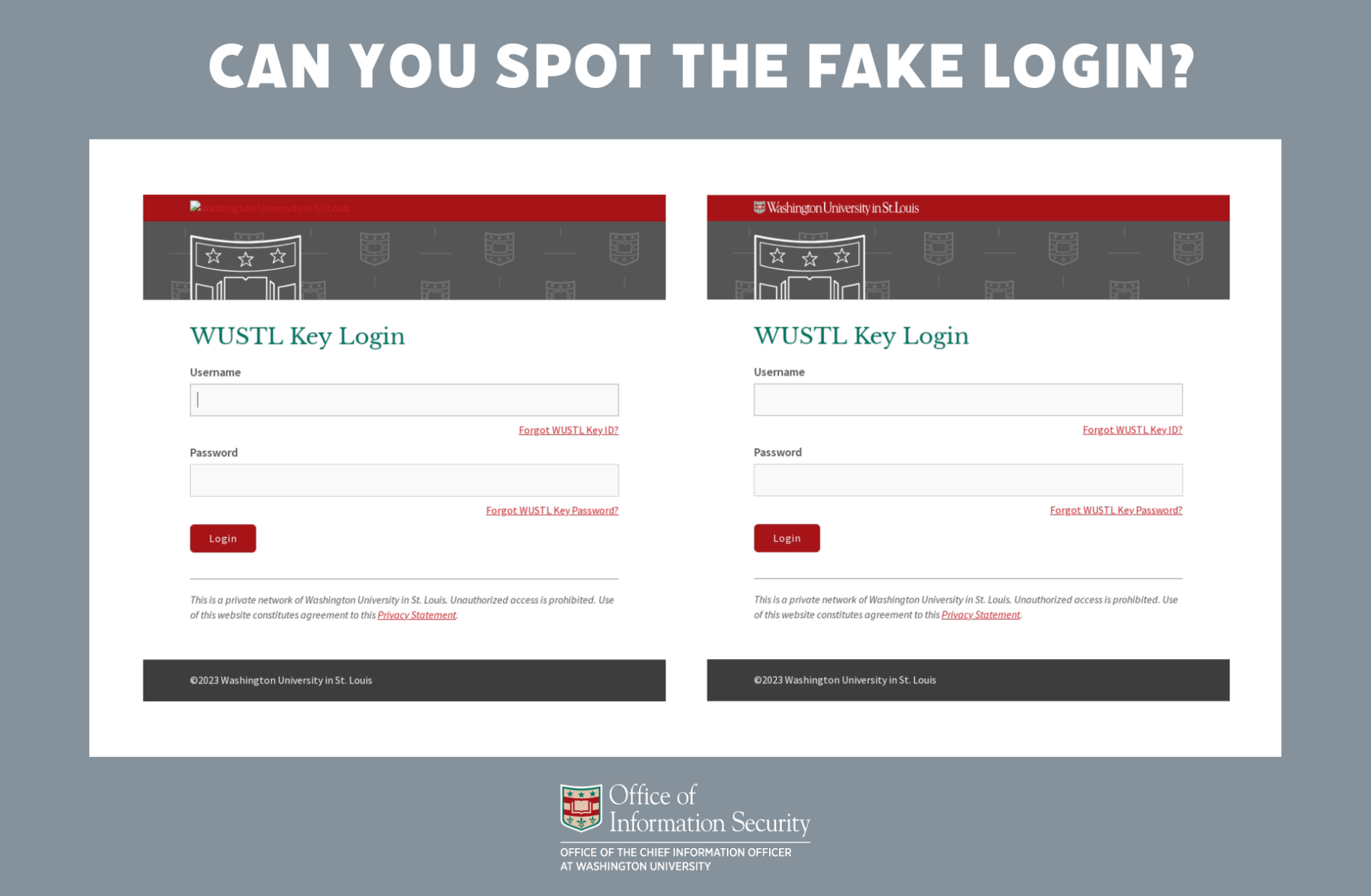

Understanding common threats is the first step toward safe internet use.
Phishing Emails
These are fake messages designed to trick you into sharing passwords or financial details. They often create urgency like “Your account will be suspended.”
Fake Websites
Scammers create websites that look legitimate to steal login credentials or payment information.
Malware & Viruses
Malicious software can infect your device through unsafe downloads or suspicious links.
Social Engineering
Attackers may impersonate trusted individuals to manipulate you into revealing sensitive information.
Being aware of these threats helps you pause before clicking.
Creating Strong Password Security
Weak passwords are one of the biggest online security risks.
Use Complex, Unique Passwords
Avoid using names, birthdays, or simple sequences like “123456.” A strong password includes:
-
Upper and lowercase letters
-
Numbers
-
Symbols
Enable Two-Factor Authentication (2FA)
2FA adds an extra layer of security by requiring a second verification step.
Use a Password Manager
Password managers securely store complex passwords so you don’t have to remember them all.
Never share your passwords through email or messaging apps.
Protecting Your Personal Information Online
Every time you sign up for a service, you share data. Be selective about what you disclose.
Limit Social Media Oversharing
Avoid posting:
-
Your home address
-
Travel plans in real time
-
Financial information
-
Personal identification details
Check Privacy Settings
Review and adjust privacy settings regularly to control who can see your information.
Avoid Public Wi-Fi for Sensitive Tasks
Public networks can expose your data. Use a secure connection or a trusted VPN when accessing financial accounts.
Identifying and Avoiding Online Scams
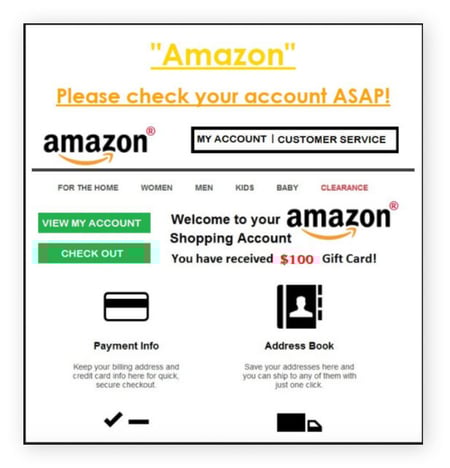

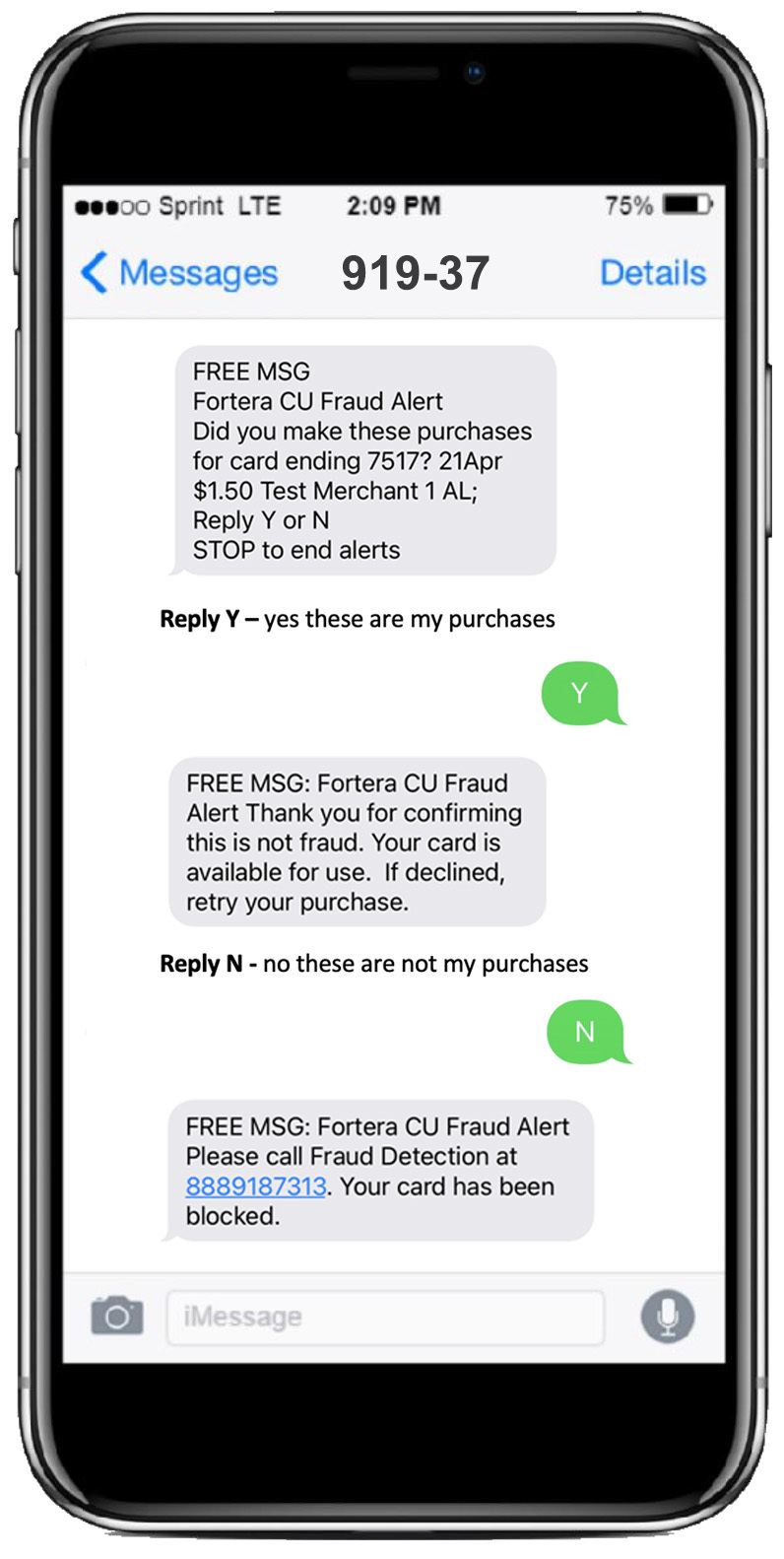
Online scams are becoming more sophisticated. Here’s how to stay protected:
Watch for Urgent Language
Scammers often create panic to force quick decisions.
Verify Before You Pay
If you receive a payment request, confirm it directly with the organization through official contact channels.
Be Skeptical of “Too Good to Be True” Offers
Unrealistic discounts or prize winnings are common scam tactics.
Monitor Financial Accounts
Regularly check bank statements for unusual transactions.
Quick action can prevent larger losses.
Safe Browsing Habits for Everyday Users
Building daily habits makes a huge difference in digital safety.
Keep Software Updated
Updates include important security patches.
Install Trusted Security Software
Reputable antivirus tools help detect malware and threats.
Check Website Security
Look for “https://” in the web address when entering sensitive information.
Log Out From Shared Devices
Always sign out of accounts when using public or shared computers.
Teaching Children and Family About Digital Awareness
Online safety isn’t just personal—it’s family responsibility.
-
Teach children not to share personal details with strangers.
-
Monitor app downloads and online gaming chats.
-
Encourage open communication about suspicious messages.
Digital literacy is a lifelong skill that benefits every generation.
What to Do If You’ve Been Compromised
Even careful users can face security incidents.
If you suspect hacking or fraud:
-
Change passwords immediately.
-
Enable two-factor authentication.
-
Contact your bank if financial information was involved.
-
Run a full antivirus scan.
-
Report the incident to the appropriate platform or authority.
Acting quickly reduces potential damage.
Frequently Asked Questions (FAQ)
1. What is the safest way to create a password?
Use a mix of letters, numbers, and symbols, and avoid personal information. A password manager can help generate secure passwords.
2. How can I tell if a website is fake?
Look for misspelled URLs, poor design quality, and missing “https” encryption. When in doubt, verify the site independently.
3. Is public Wi-Fi always unsafe?
Public Wi-Fi can be risky for sensitive transactions. Avoid logging into banking accounts unless using a secure connection.
4. What should I do if I click on a suspicious link?
Disconnect from the internet, run a security scan, and change any potentially exposed passwords.
5. How often should I review my privacy settings?
At least every few months, or whenever a platform updates its policies.
Final Thoughts
Safe internet use and digital awareness are essential in today’s connected world. By recognizing common threats, strengthening password security, protecting personal information, and practicing safe browsing habits, you can significantly reduce online risks.
The internet offers incredible opportunities—but only when used wisely. Stay informed, stay cautious, and take control of your digital safety every day.